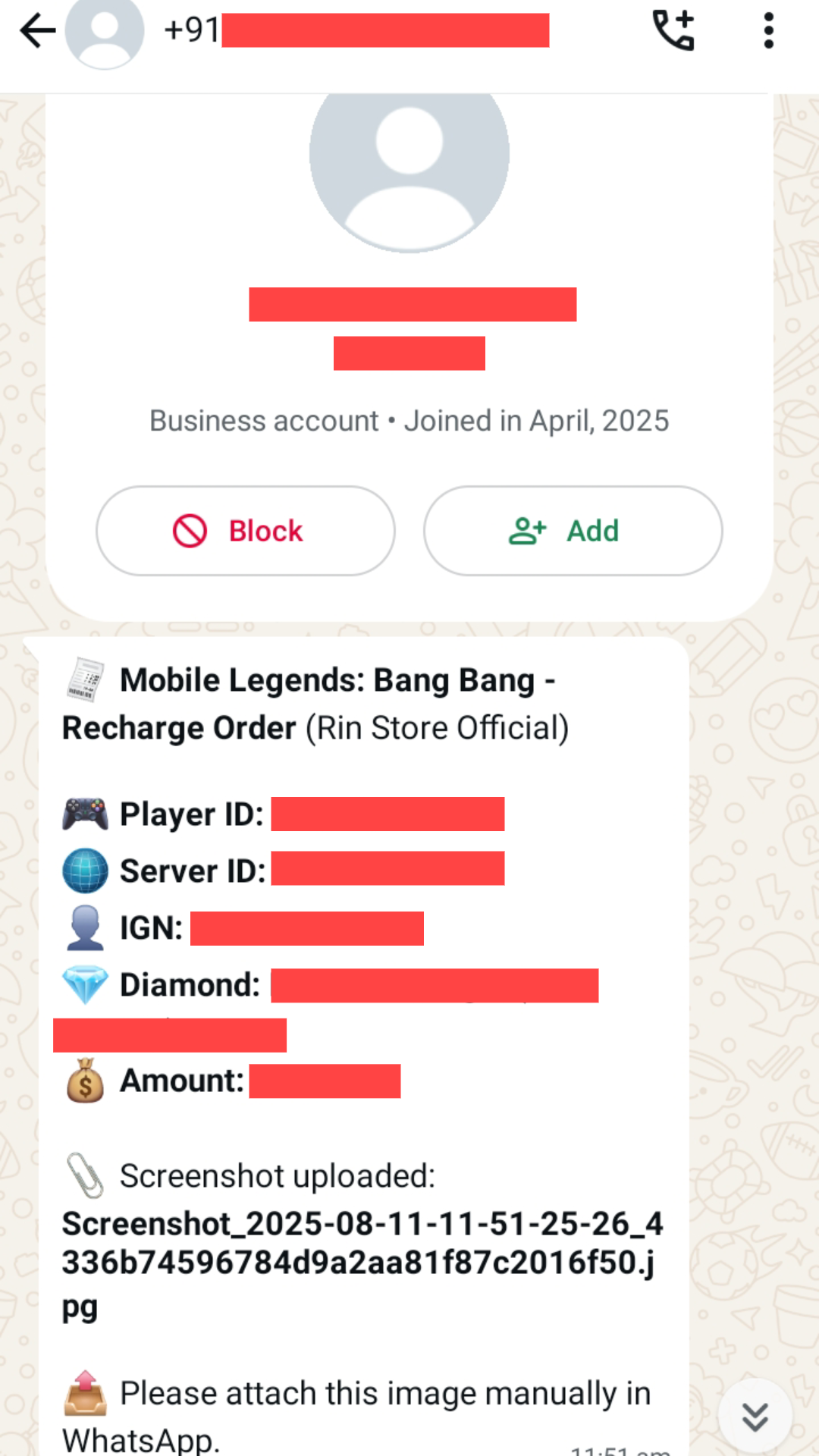
How to Top-up Diamonds
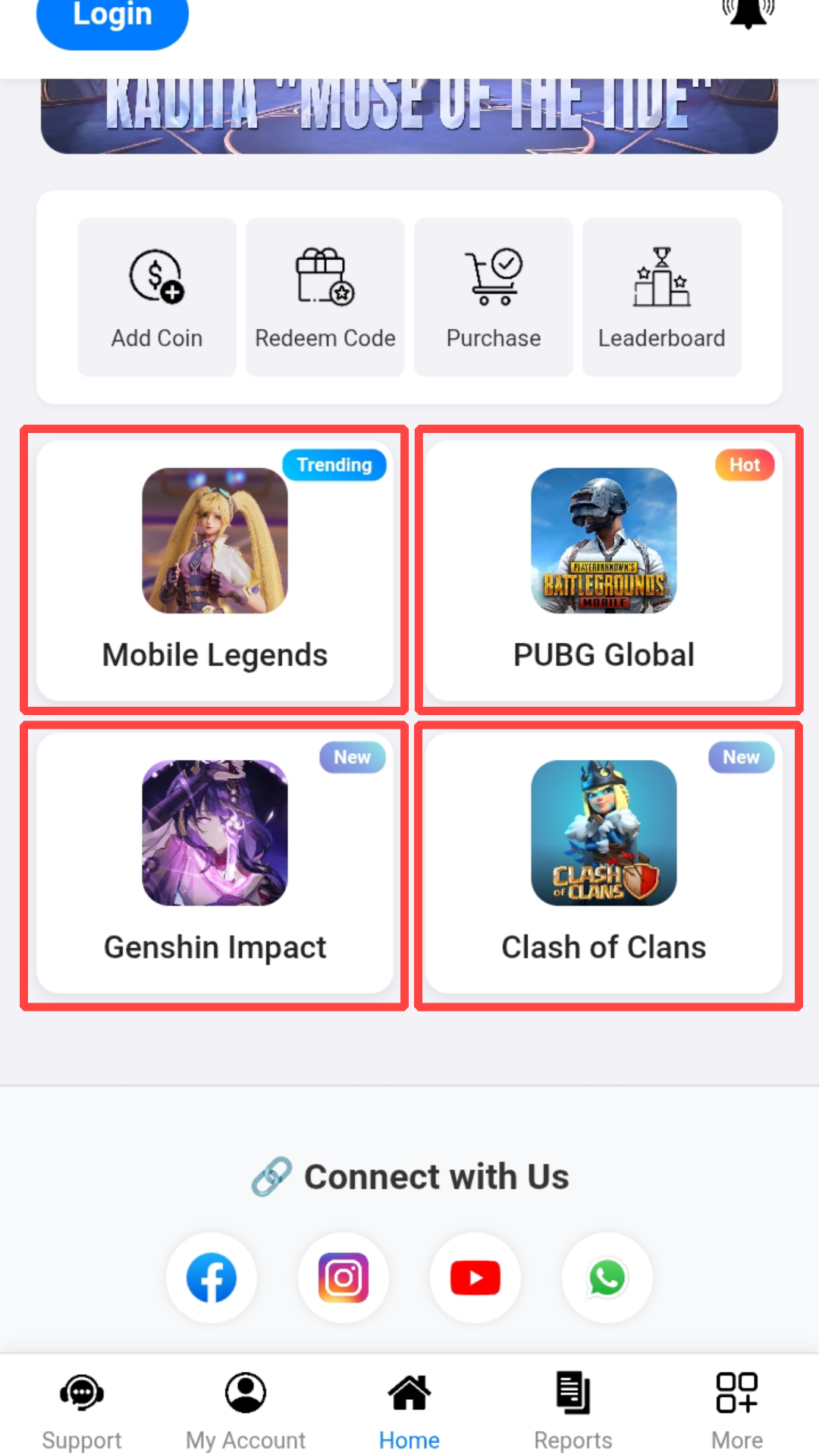
1. Open Rin Store Official and go to the game you want to top-up.
(I Recharge duhna Games ah i lut ang.)
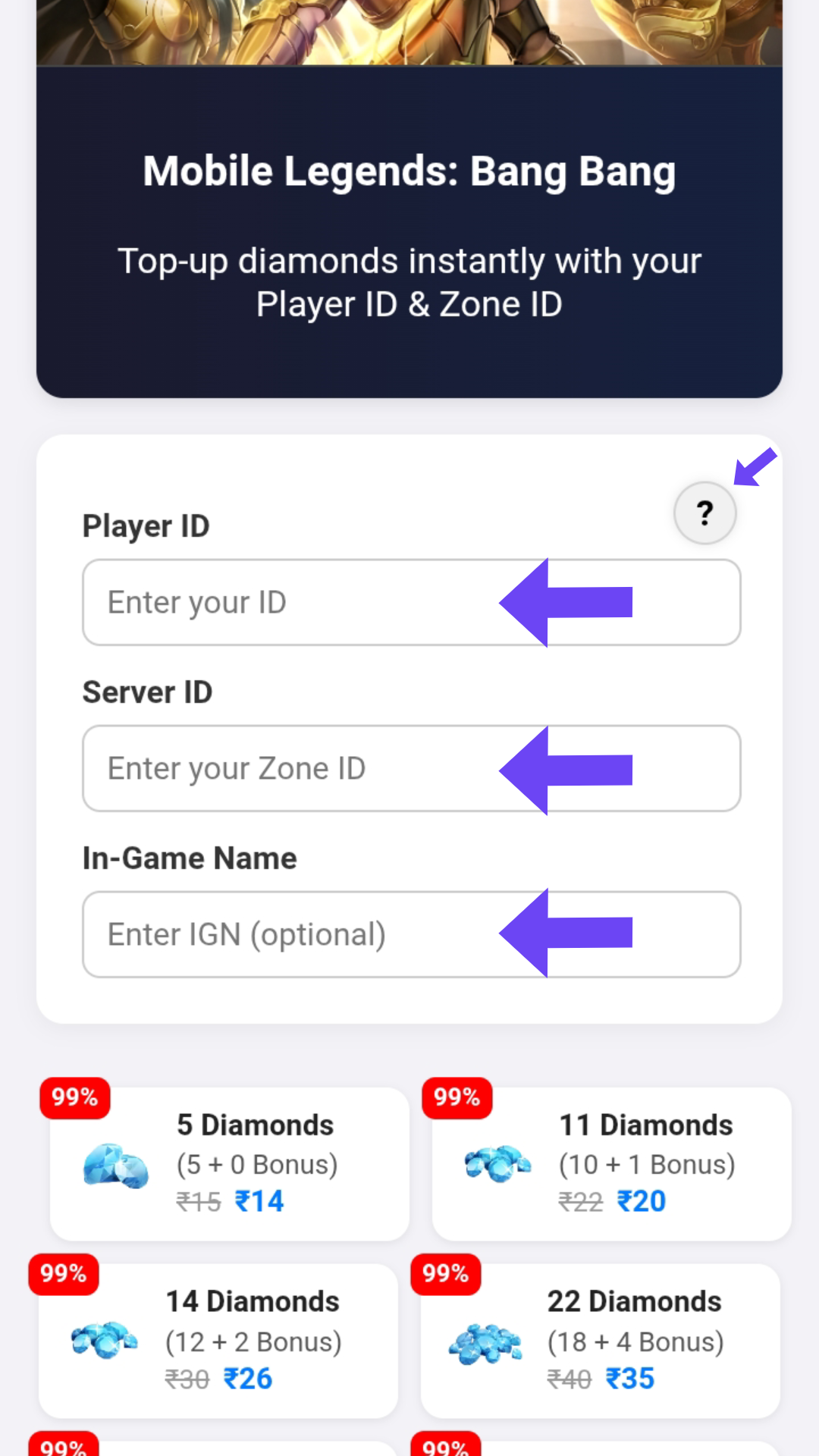
2. Enter your Game ID, Zone ID and Your IGN correctly.
(I game ID, Server leh Game a i indah dan kha type rawh.)
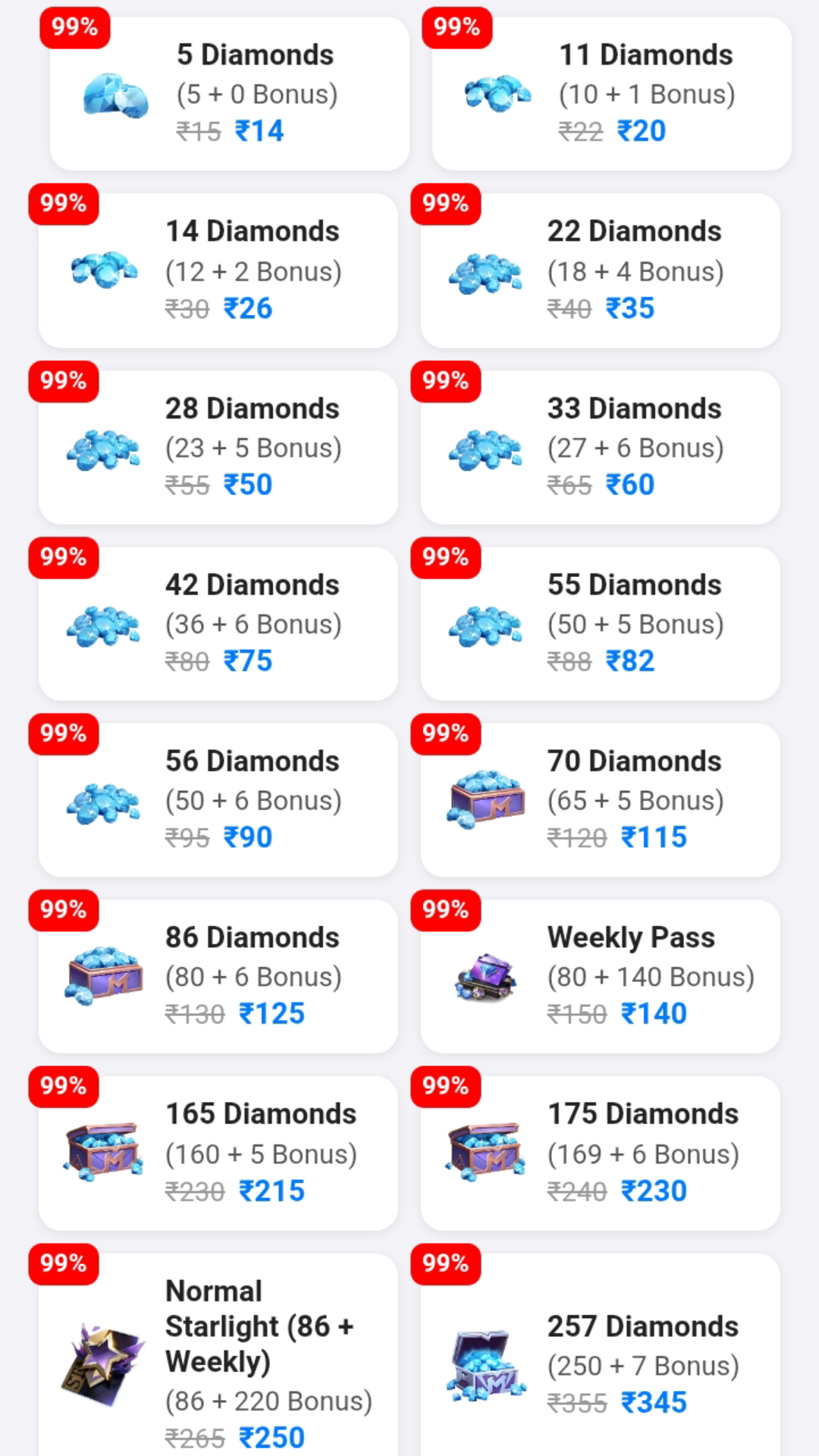
3. Select the Diamond package you want to purchase.
(I Diamonds Recharge duh zat select rawh. Out of Stock tih a lo in ziah chuan select suh)
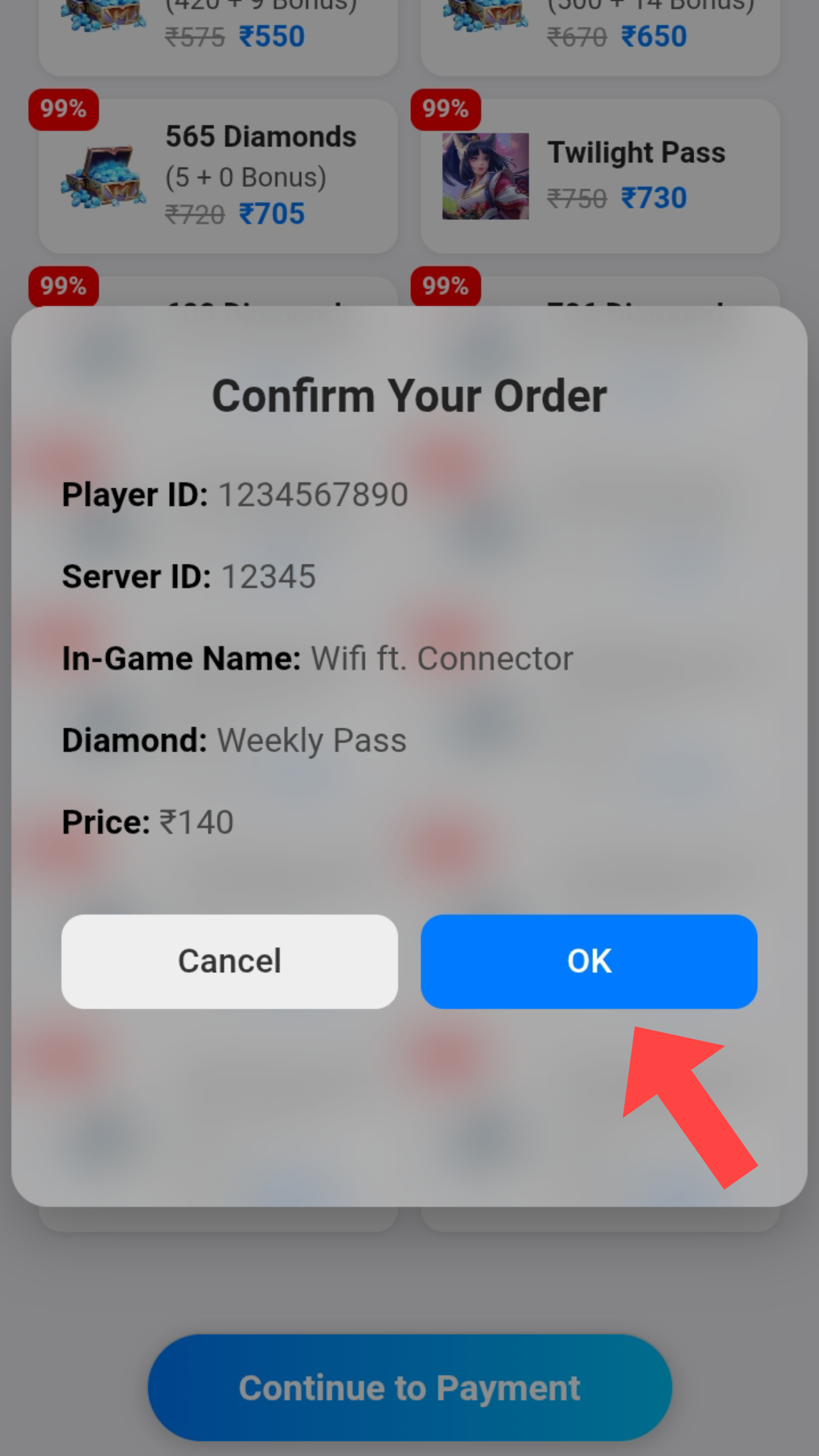
4. Click Continue to Payment and Confirm your odered by using Press OK.
(Continue to Payment I hmet ang a, I oder ang a ni em tih i confirm ang)
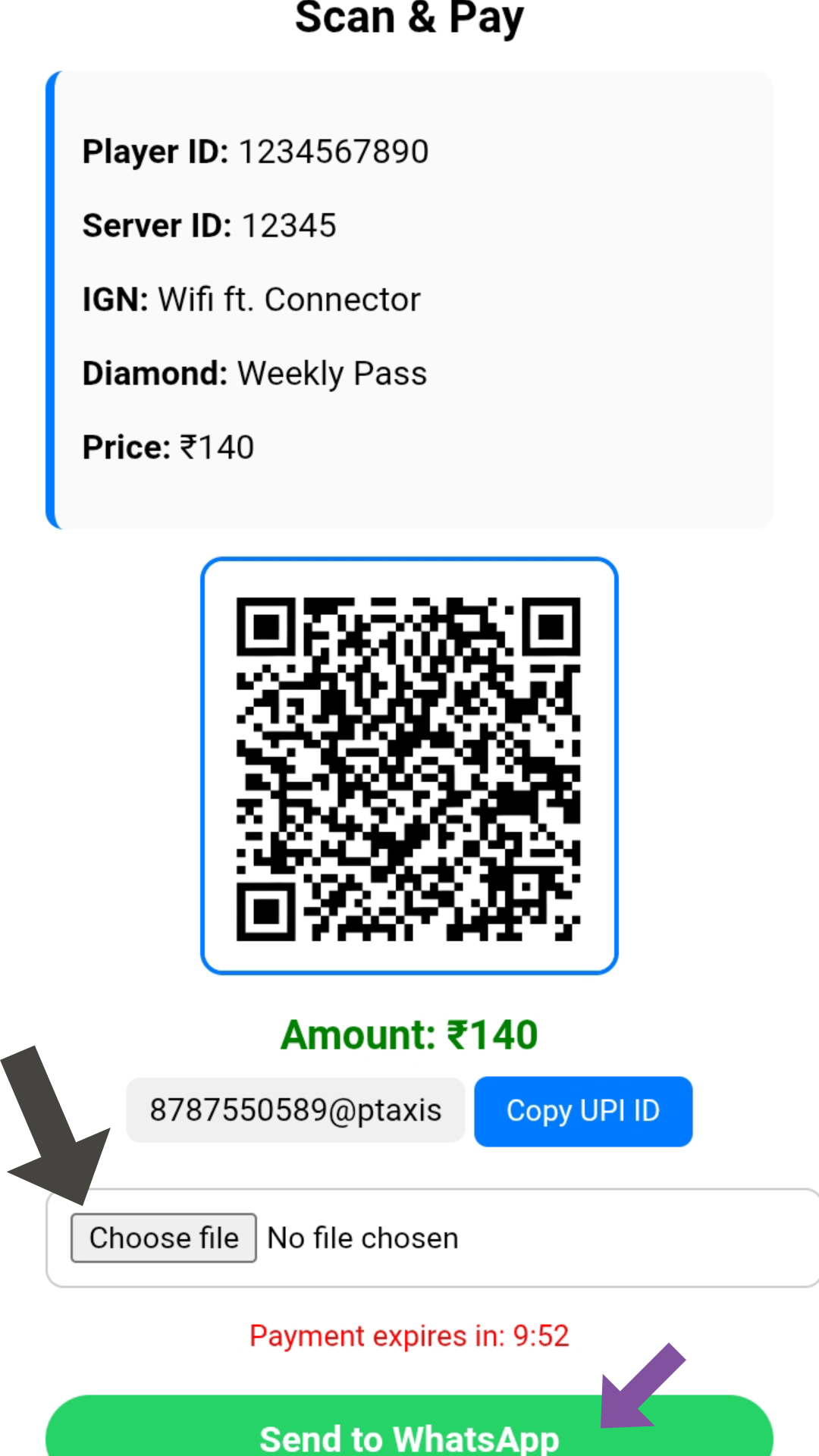
5. Screenshot Displaying QR code and Upload to UPI payment app. After Payment successful, upload your payment screenshot and Sand to WhatsApp.
(QR code i screenshot ang a, UPI payment app ah i upload ang a, amount a in ziak zat hi i pay ang. i payment screenshot i upload ang a, Sand to WhatsApp i hmet ang.)
6. Diamonds will be delivered within 10 mins to your account.
(I Account ah Diamond a lo awm tawh ang.)